Claude Code Subagents: Parallel Multi-Agent Workflows

Run parallel subagents in Claude Code with the Task tool. Multi-agent orchestration patterns, tool permissions, and real workflows that ship.
Claude Code Multi-Agents and Subagents: Complete Orchestration Guide
One of Claude Code’s most powerful but underutilized features is multi-agent orchestration through subagents. Instead of a single AI assistant handling everything sequentially, you can spawn multiple specialized Claude instances working in parallel—each with its own context window, tackling different aspects of your task simultaneously.
This guide explores how to leverage subagents effectively, from understanding the Task tool to building sophisticated parallel workflows that can transform how you approach complex development tasks.
Understanding Subagents
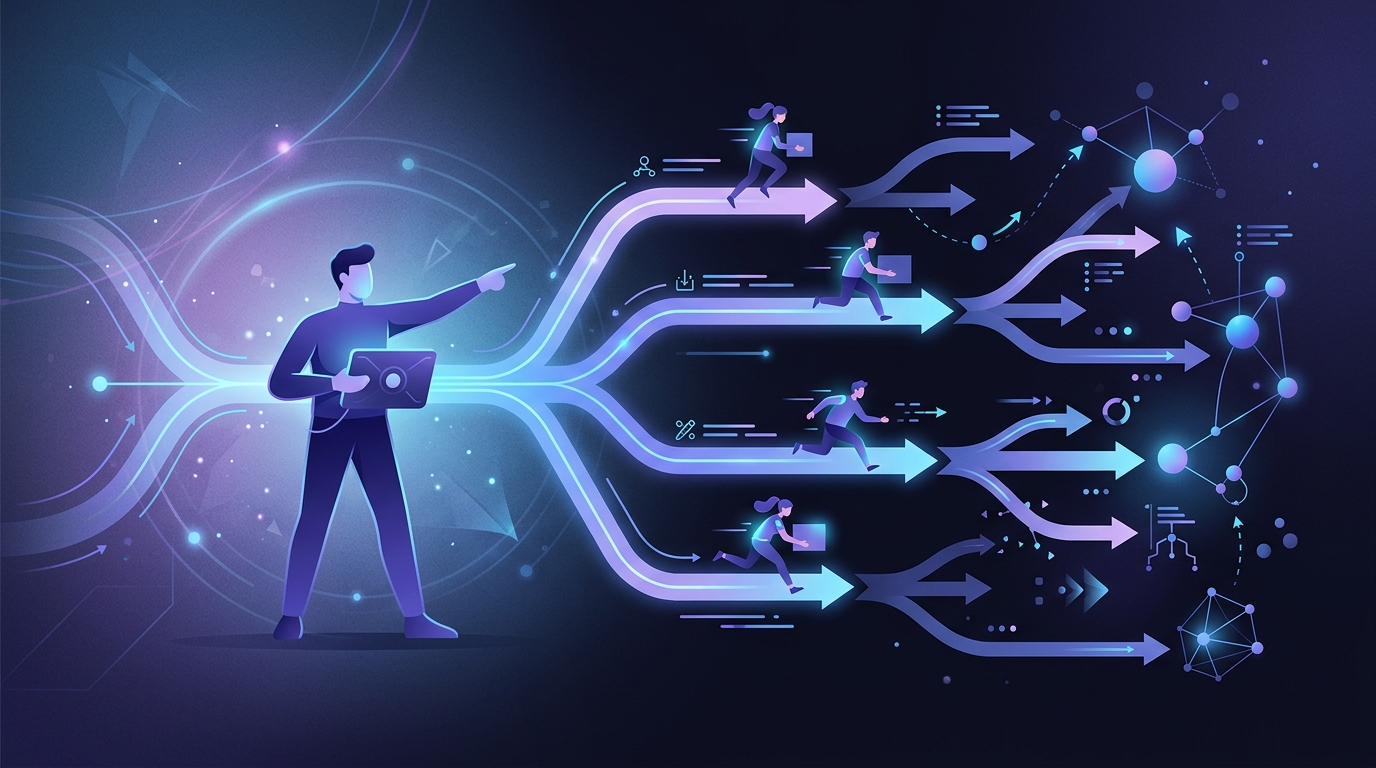
A subagent is a lightweight instance of Claude Code running as an independent task. When Claude spawns a subagent, that instance gets its own isolated context window and operates independently until it completes its work and returns results to the parent.
Key Characteristics
Isolated Context: Each subagent maintains its own context window, separate from the main conversation. This is crucial—subagents don’t pollute your main thread with research artifacts, file contents, or intermediate reasoning.
Parallel Execution: Multiple subagents can run simultaneously, enabling true parallel development workflows.
Distilled Results: When a subagent completes, it returns a summary of its findings or work, not its entire conversation history. The parent receives only what’s relevant.
Automatic Delegation: Claude recognizes when subagents would be helpful and can spawn them automatically, though explicit orchestration yields better results.
The Task Tool
The Task tool is the mechanism Claude uses to spawn subagents. When you see output like Task(Performing task X), that’s a subagent at work.
Built-in Subagent Types
Claude Code includes several specialized subagent types:
Explore Agent: Fast, lightweight agent optimized for codebase exploration. Operates in read-only mode, designed for rapid file discovery and code analysis. Claude automatically uses this when researching your codebase in plan mode.
Plan Agent: Used during planning phases to research and gather information before presenting implementation plans. Conducts thorough investigation while keeping the main context clean.
General Purpose Agent: Handles complex, multi-step tasks that don’t fit other categories.
How It Works
Main Claude → Task Tool → Subagent Instance
                              ↓
                         Independent Context
                              ↓
                         Task Completion
                              ↓
Main Claude ← Distilled Results
The parent Claude maintains its conversation while subagents work. Results flow back as summaries, not full transcripts.
Parallel Execution Patterns
Basic Parallel Research
Spawn multiple agents to explore different aspects simultaneously:
"Explore the codebase using 4 tasks in parallel. Each agent should
explore different directories:
- Agent 1: Analyze src/api/
- Agent 2: Analyze src/services/
- Agent 3: Analyze src/models/
- Agent 4: Analyze src/utils/"
Each agent gets its own context window, effectively multiplying your available context for large codebases.
The 7-Parallel-Task Method
For feature implementation, consider spawning agents for different concerns:
- Component Agent: Creates the main component files
- Styles Agent: Handles CSS/styling
- Tests Agent: Writes test cases
- Types Agent: Manages TypeScript types/interfaces
- Hooks Agent: Creates custom hooks
- Integration Agent: Handles API integration
- Cleanup Agent: Addresses remaining tasks and polish
This approach mirrors how a human team might parallelize feature development.
Multi-Version Development
Create multiple implementations to compare:
"Create 3 parallel versions of the authentication flow:
- Version A: JWT with refresh tokens
- Version B: Session-based authentication
- Version C: OAuth2 with PKCE

Each agent should implement their approach in a separate branch."
Teams can then evaluate each approach and select the best one.
Configuring Custom Subagents
Beyond built-in agents, you can create custom subagents tailored to your workflow.
Location
Place subagent definitions in .claude/agents/ in your project:
.claude/
└── agents/
    ├── security-reviewer.md
    ├── performance-analyzer.md
    └── documentation-generator.md
Subagent Definition Structure
# Security Reviewer Agent

## Description
Analyzes code for security vulnerabilities, focusing on OWASP Top 10
issues, authentication flaws, and injection vulnerabilities.

## When to Use
Automatically engage when:
- New authentication or authorization code is written
- User input handling is modified
- Database queries are added or changed
- File operations are implemented

## Capabilities
- Read source files
- Analyze code patterns
- Reference security best practices
- Generate vulnerability reports

## Instructions
When analyzing code:
1. Check for injection vulnerabilities (SQL, command, XSS)
2. Verify authentication and session handling
3. Review authorization checks
4. Examine sensitive data handling
5. Look for common security anti-patterns

Return a structured report with:
- Severity ratings (Critical/High/Medium/Low)
- Specific line numbers and code snippets
- Recommended fixes
Auto-Delegation
Claude examines subagent descriptions to determine when delegation is appropriate. Well-written descriptions ensure agents are invoked at the right times.
Best Practices for Effective Orchestration
Be Explicit About Delegation
Claude uses subagents conservatively by default. For maximum effectiveness, explicitly describe what should be delegated:
"Implement the user profile feature using parallel tasks:

Task 1 (Frontend): Create the ProfileCard, ProfileEdit, and
AvatarUpload components in src/components/profile/

Task 2 (API): Create the profile API routes in src/api/profile.ts
with GET, PUT, and PATCH endpoints

Task 3 (Database): Add the profile schema changes to the Prisma
schema and create the migration

Task 4 (Tests): Write unit tests for all new components and
integration tests for the API routes

Run all tasks in parallel."
Group Related Work
Rather than spawning agents for every small operation, group related tasks:
# Less efficient
Task 1: Read user.ts
Task 2: Read auth.ts
Task 3: Read session.ts

# More efficient
Task 1: Read and analyze all authentication-related files
(user.ts, auth.ts, session.ts, middleware.ts)
Manage Dependencies
Some tasks must complete before others can start. Structure your orchestration accordingly:
"Implement the payment system:

Phase 1 (parallel):
- Task A: Create database models for transactions
- Task B: Set up Stripe SDK configuration

Phase 2 (after Phase 1 completes, parallel):
- Task C: Implement payment processing service
- Task D: Create payment API endpoints

Phase 3 (after Phase 2 completes):
- Task E: Write integration tests
- Task F: Add frontend payment forms"
Context Window Economics
Subagents shine when tasks would otherwise overflow a single context window:
- Large codebases: Distribute exploration across multiple agents
- Research-heavy tasks: Keep research artifacts out of your main thread
- Complex implementations: Each agent focuses on its specialty
Comparison with Other Customization Methods
Claude Code offers several customization mechanisms. Understanding when to use each is essential:
| Feature | Purpose | Location | Invocation |
|---|---|---|---|
| CLAUDE.md | Always-on project context | Project root | Automatic |
| Slash Commands | On-demand workflows | .claude/commands/ | Manual (/command) |
| Subagents | Isolated parallel tasks | .claude/agents/ | Automatic or explicit |
| Skills | Auto-discovered capabilities | .claude/skills/ | Automatic |
Use CLAUDE.md for project rules that should always apply.
Use Slash Commands for workflows you want to invoke explicitly.
Use Subagents for research-intensive or parallel tasks that benefit from isolated context.
Use Skills for rich workflows with supporting materials that Claude should auto-discover.
Current Limitations
Understanding constraints helps set realistic expectations:
Black Box Execution
When Claude spawns subagents, the parent has no visibility into their activities until completion. Subagents operate independently—you can’t monitor their progress or intervene mid-task.
No Parent-Child Communication
Subagents can’t communicate with their parent during execution or with sibling subagents. Each operates in isolation until it returns results.
Resource Contention
Multiple agents working on the same files can create conflicts. Implement file locking or careful task partitioning to avoid issues.
Cost Multiplication
Each subagent consumes API tokens independently. Running 10 parallel agents means 10x the token usage. Balance parallelism against costs.
Real-World Orchestration Example
Consider a complex refactoring task: converting a codebase from class components to functional components with hooks.
Without Subagents
Claude sequentially processes each file, consuming context window space with each transformation. For large codebases, this becomes unwieldy.
With Subagents
"Refactor the React codebase to functional components using parallel agents:

Agent 1: Refactor src/components/auth/*
Agent 2: Refactor src/components/dashboard/*
Agent 3: Refactor src/components/settings/*
Agent 4: Refactor src/components/shared/*

Each agent should:
1. Convert class components to functional components
2. Replace lifecycle methods with useEffect hooks
3. Convert class state to useState
4. Maintain all existing functionality
5. Run relevant tests after changes

After all agents complete:
- Consolidate the changes
- Run the full test suite
- Fix any integration issues"
Real-world results from this pattern: 2 hours to complete vs. 2 days manual work, 12,000+ lines changed, 100% test pass rate.
Advanced Pattern: Meta-Agent Orchestration
For extremely complex projects, consider a meta-agent architecture:
Meta-Agent (Orchestrator)
├── Analyzes requirements
├── Creates execution plan
├── Spawns specialized worker agents
└── Synthesizes results

Worker Agents (Specialists)
├── Frontend Agent
├── Backend Agent
├── Database Agent
├── Testing Agent
└── Documentation Agent
The meta-agent breaks down requirements, distributes work through a task queue, and manages dependencies. Each worker agent operates within its specialty, coordinating through the orchestrator.
This pattern requires careful design but enables sophisticated automation for large-scale development tasks.
Community Tools for Multi-Agent Orchestration
The developer community has built powerful tools that extend multi-agent capabilities beyond what’s available out of the box. These projects demonstrate the potential of agent orchestration at scale.
Maestro: Desktop Command Center
Maestro is a cross-platform desktop application for running AI coding agents autonomously. It supports unlimited Claude Code, Codex, and OpenCode instances in parallel, with each agent maintaining separate workspaces and isolated contexts.
Key features:
- Autonomous operation: Run complex tasks with minimal supervision for extended periods
- Group chat: Multiple agents collaborate in shared conversations
- Remote access: Built-in web server with mobile access via QR codes
- Git integration: Repository detection, branch displays, diff viewing, and worktree support
- Session discovery: Automatically finds and organizes all Claude Code sessions
Maestro transforms multi-agent orchestration from a developer-only feature into an accessible command center for managing AI coding teams.
Claude Code Agent Farm
Claude Code Agent Farm by Dicklesworthstone is a powerful orchestration framework that runs 20+ Claude Code sessions in parallel (up to 50 with configuration).
The framework implements a distributed coordination protocol:
/coordination/
├── active_work_registry.json    # Central registry of all active work
├── completed_work_log.json      # Log of completed tasks
├── agent_locks/                 # Individual agent locks
└── planned_work_queue.json      # Queue of planned work
Features include:
- Lock-based coordination: Prevents conflicts between parallel agents working on the same codebase
- Multi-stack support: 34 technology stacks including Next.js, Python, Rust, Go, and more
- Real-time monitoring: Dashboard with context warnings, heartbeat tracking, and tmux pane titles
- Multiple workflows: Bug fixing, best practices implementation, or coordinated multi-agent development
Usage:
# Start 20 agents with 10-second stagger
./start_agents.sh --agents 20 --stagger 10

# Monitor only mode
./start_agents.sh --monitor-only
Agent Flywheel
Agent Flywheel transforms a fresh cloud server into a fully-configured agentic coding environment in under 30 minutes. It pre-configures Claude Code, OpenAI Codex, and Google Gemini alongside 30+ developer tools.
This is ideal for teams wanting to quickly spin up dedicated agent environments without manual configuration of each tool.
Oh My OpenCode
Oh My OpenCode is a TypeScript plugin for OpenCode that enables multi-model orchestration with specialized subagents.
The system implements hierarchical agent delegation:
- Sisyphus (Claude Opus 4.5): Primary orchestrator
- Oracle: Debugging specialist
- Librarian: Documentation agent
- Frontend Engineer: UI/UX specialist
- Explore: Codebase search agent
Key capabilities:
- Async execution allowing parallel workflows across different models
- Full LSP support for refactoring and navigation
- AST-Grep for code pattern matching across 25 languages
- Auto-injection of context files from directory hierarchies
- MCPs for documentation lookup, web search, and GitHub code discovery
Swarm-Tools
Swarm-Tools is a monorepo providing advanced multi-agent coordination for OpenCode. It addresses a core challenge: AI agents are single-threaded, context-limited, and lack memory of what worked before.
The architecture includes:
Task Decomposition: Breaks large requests into parallel subtasks using multiple strategies (file-based, feature-based, risk-based, research-based).
Parallel Worker Management: Spawns multiple agents working on different components with file reservations via DurableLock to prevent conflicts.
Resilience Through Checkpointing: Saves progress snapshots at 25%, 50%, 75% completion. Survives context compaction using PGLite (embedded Postgres).
Learning System: Tracks decomposition outcomes and classifies patterns as candidate → established → proven → deprecated. Auto-inverts patterns failing >60% of the time.
npm install -g opencode-swarm-plugin@latest
swarm setup
/swarm "Add user authentication with OAuth"
Choosing a Tool
| Tool | Best For | Interface | Key Strength |
|---|---|---|---|
| Maestro | Desktop workflow management | GUI + Mobile | Remote monitoring, session discovery |
| Agent Farm | Large-scale parallel processing | CLI + tmux | 20-50 agents, lock coordination |
| Agent Flywheel | Quick environment setup | Cloud VPS | Pre-configured multi-agent environment |
| Oh My OpenCode | Multi-model orchestration | Plugin | Specialized agents per model |
| Swarm-Tools | Resilient, learning workflows | CLI | Checkpointing, pattern learning |
Getting Started
-
Start Small: Spawn a single subagent for codebase exploration before building complex orchestrations.
-
Be Explicit: Write detailed delegation instructions—don’t assume Claude will automatically parallelize optimally.
-
Create Custom Agents: Define agents for your common workflows in
.claude/agents/. -
Monitor Costs: Track token usage when running parallel agents to understand the economics.
-
Iterate on Patterns: Document what works for your codebase and refine your orchestration patterns over time.
-
Explore Community Tools: Try Maestro for desktop management, Agent Farm for large-scale orchestration, or Swarm-Tools for resilient workflows.
Conclusion
Multi-agent orchestration transforms Claude Code from a single-threaded assistant into a parallel development team. By understanding how subagents work, when to use them, and how to orchestrate them effectively, you can tackle projects that would otherwise exceed any single agent’s capabilities.
The key insight is explicit orchestration. Like multi-threaded programming, specifying exactly how work should be parallelized yields dramatically better results than hoping for automatic optimization. Invest time in designing your orchestration patterns, and you’ll unlock capabilities that fundamentally change what’s possible with AI-assisted development.
Learn more about Claude Code customization with CLAUDE.md files, explore multi-agent collaboration patterns, or check out our Coding Agents Directory for alternative tools.
Related Posts

Multi-Agent Collaboration Patterns: Hierarchical, Peer-to-Peer, and Hybrid Architectures
An architectural deep dive into how multiple AI agents work together, exploring hierarchical command structures, peer-to-peer collaboration, and hybrid approaches—with practical guidance on choosing the right pattern for your system
Multi-Agent Memory Architecture: Patterns for 2026
Shared, isolated, or hierarchical? We break down the three memory architectures production multi-agent systems use — with benchmarks, code patterns, and the tradeoffs nobody talks about.
LangGraph vs CrewAI vs AutoGen: 2026 Comparison
Graph orchestration vs role-based teams vs Microsoft's new Agent Framework 1.0. Architecture, production readiness, and a clear verdict.